
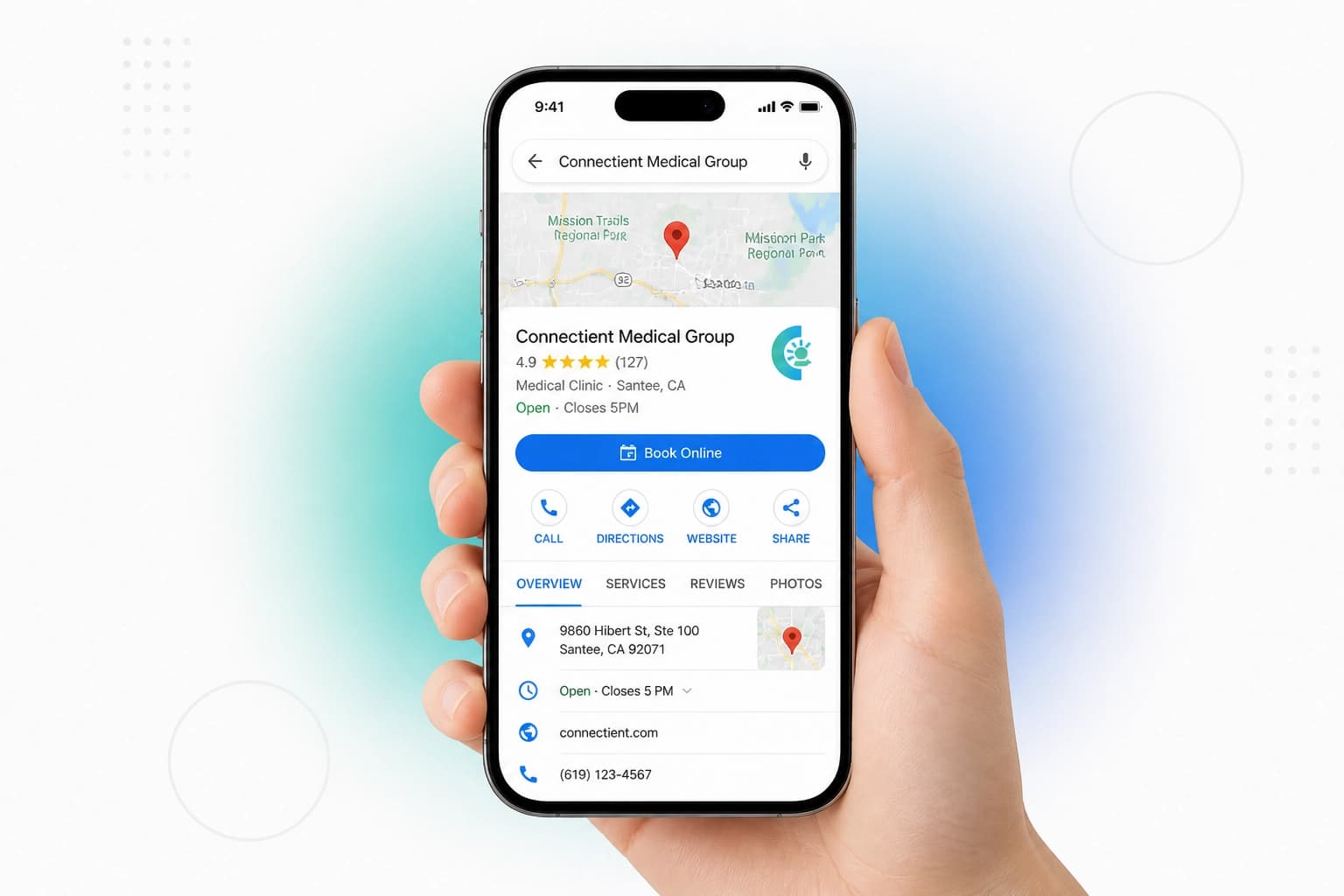
Your potential patients are searching for you. They aren't typing your URL into a browser. They aren't looking for your Instagram handle.
They are opening Google Maps.
They need a dentist. They need a physiotherapist. They need a doctor. They search for "near me," and they look at the first three results. If you aren't there, you don't exist. If you are there but your profile is a dead end, you are losing money every single hour.
This is your Google Business Profile (GBP). It is the most powerful tool in your marketing arsenal. It is the "Hidden Map" that leads patients directly to your door: or to your competitor's.
The Problem: You're Visible, but You're Not Viable
Most practices treat their Google listing like a digital business card. You have your name, your address, and maybe a few blurry photos from five years ago.
The Reality: Patients don't just want to find you. They want to book you.
When a patient finds you on Maps at 8:00 PM, they are ready to solve their problem. If your profile says "Closed" and offers nothing but a phone number, they move to the next listing. They don't wait until 9:00 AM to call. They book with the clinic that lets them take action right now.
Step 1: The Foundation of Trust (NAP Consistency)
Before you can capture a patient, Google needs to trust you. Local SEO is built on one core principle: NAP. Name, Address, Phone number.
Google's algorithm compares your information across the entire internet. If your website says "Suite 101" but your Google profile says "Unit 101," Google gets confused. When Google is confused, your ranking drops.
Action Plan:
- Audit your presence: Ensure your name is identical on your website, Facebook, Instagram, and local directories.
- Use a local number: Patients trust local area codes more than toll-free numbers.
- Format precisely: Match your address to the exact format used by the postal service.
Step 2: Categorize for Discovery
Google gives you one primary category and several secondary ones. This determines which searches you show up for.
The Mistake: Choosing a broad category like "Medical Clinic" when you are a specialist. The Fix: Be specific. If you are a dentist, use "Dentist." If you are a physical therapist, use "Physiotherapy Clinic."
Specific categories have less competition and higher intent. Use secondary categories to capture broader searches, but keep your primary category focused on your core service. This is how you outrank larger, general hospitals for specific local searches.
Step 3: High-Quality Photos are Your Waiting Room
Patients judge your clinical quality by your digital aesthetic. If your photos are dark, cluttered, or outdated, patients assume your equipment is too.
Upload at least 10 high-resolution photos:
- The Exterior: Make it easy for patients to find your building.
- The Reception: Show a clean, welcoming environment.
- The Team: Humanize your practice. Patients book people, not buildings.
- The Tech: Highlight your dental practice management software online or your modern diagnostic tools.
Step 4: The 'Appointment Link': Your 24/7 Front Desk
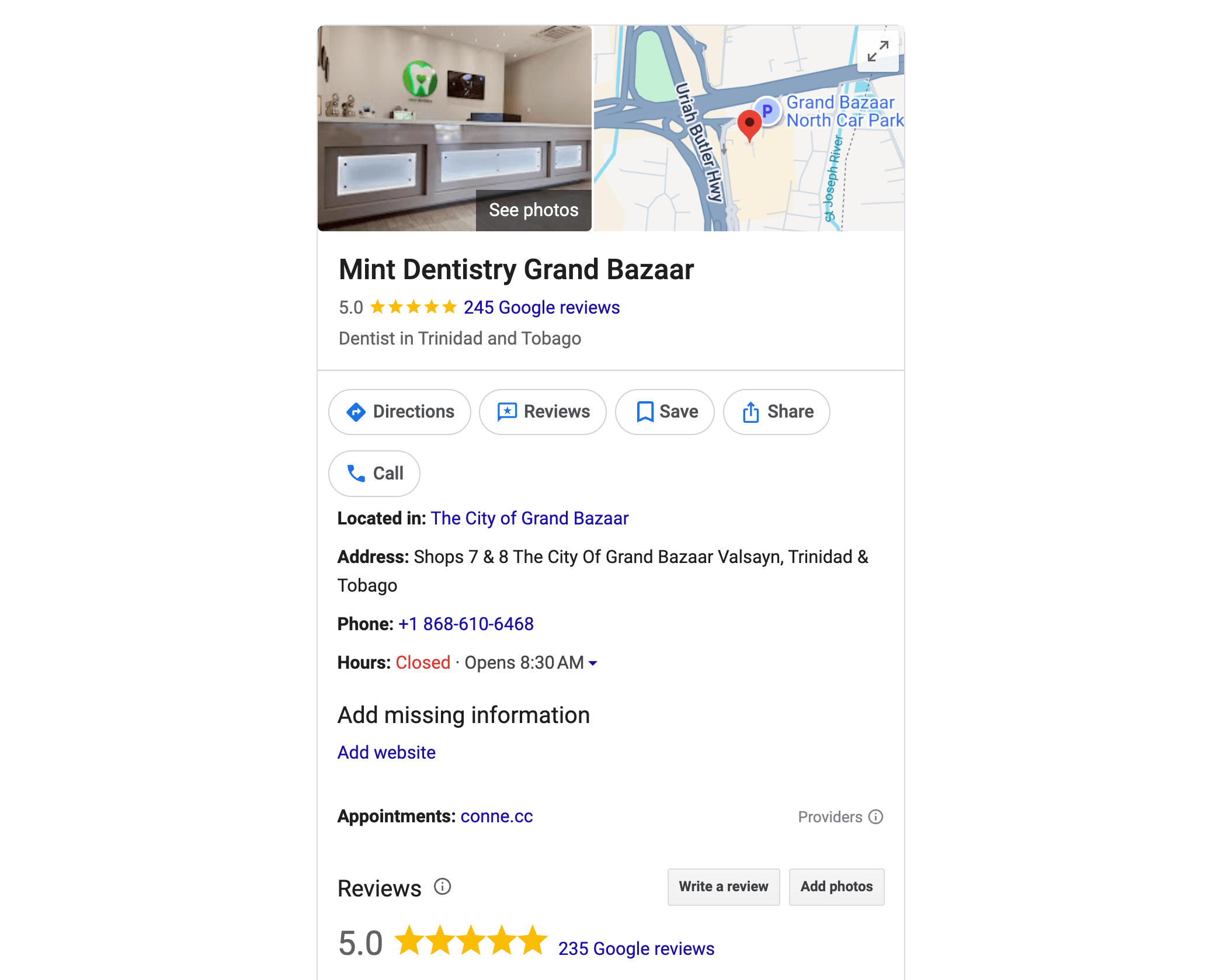
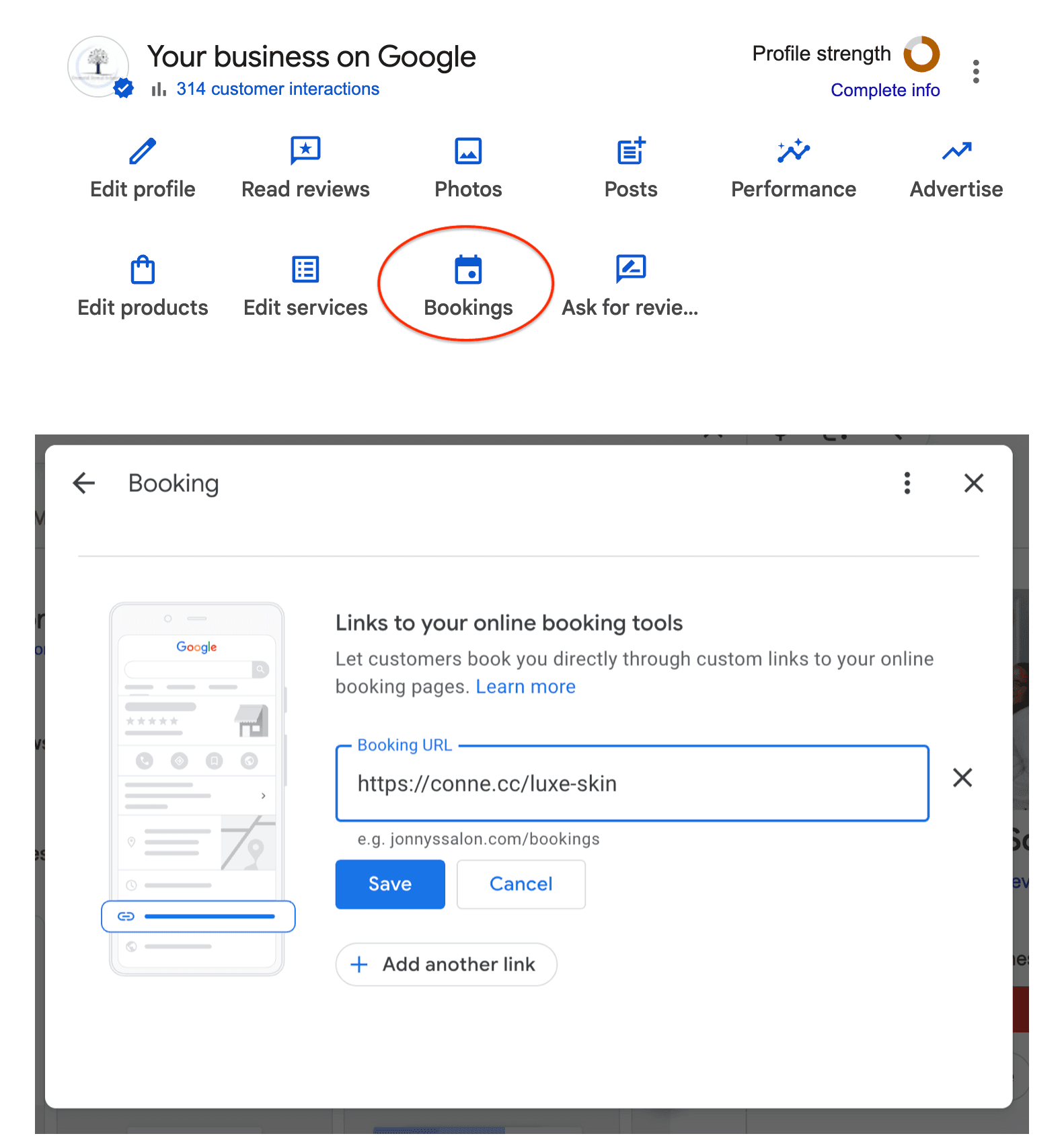
This is where most practices fail. Google provides a specific field for an "Appointment Link."
The Problem: Most clinics leave this blank or link to their general homepage. The Reality: Linking to a homepage forces the patient to hunt for a "Contact" button. Every extra click is a point where you lose a patient.
This is where you paste your Connectient booking link.
By using an online medical booking system, you bridge the gap between "searching" and "scheduled." When a patient clicks that link, they enter a controlled environment. They aren't just sending an email into the void. They are requesting a slot that you control.
Step 5: The Waze Connection
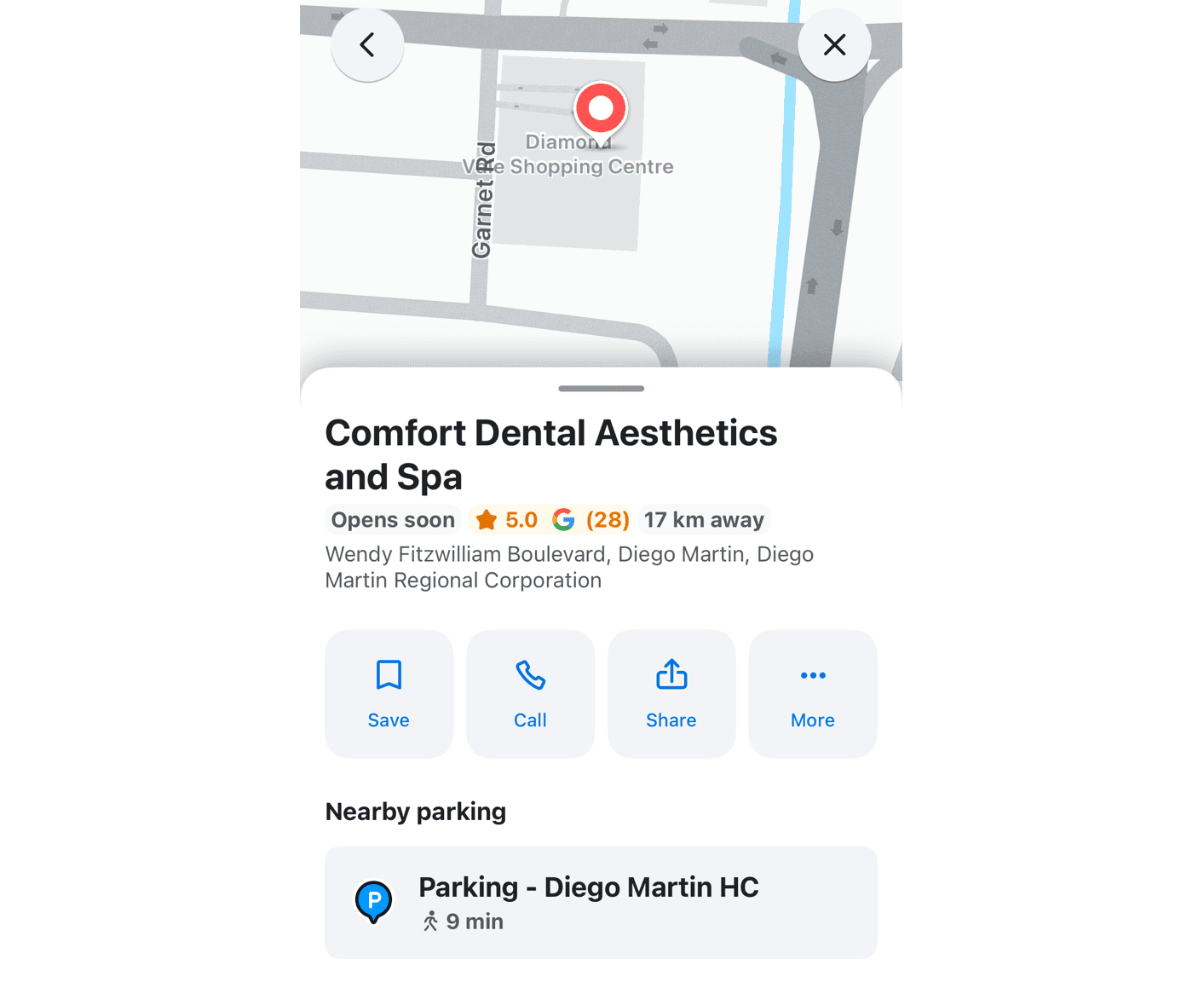
Google owns Waze. When you optimize your Google Business Profile, you aren't just appearing on one map. You are appearing on the dashboard of every driver in your area.
When a driver searches for a "physiotherapy booking system" or a nearby clinic on Waze, the data is pulled directly from your GBP. If your profile has a clear appointment link, they can tap to book while they are parked or once they reach their destination. You are capturing intent in the physical world.
Step 6: Capture the "After-Hours" Patient
Your office might close at 5:00 PM, but your patients' health concerns don't.
Statistically, over 60% of appointment requests come after 4:00 PM. This is when people finally have time to breathe, think about their health, and take action.
If your Google Profile only offers a phone number, you are losing 60% of your potential growth. By integrating Connectient, your profile works while you sleep. "The patient clicks the 'Appointment' link on Google, fills out their details, and submits an appointment request.
You wake up to a dashboard full of requests. You stay in total control: the office reviews each request first, confirms the appointments that fit your schedule, and only then does the patient receive a WhatsApp confirmation.
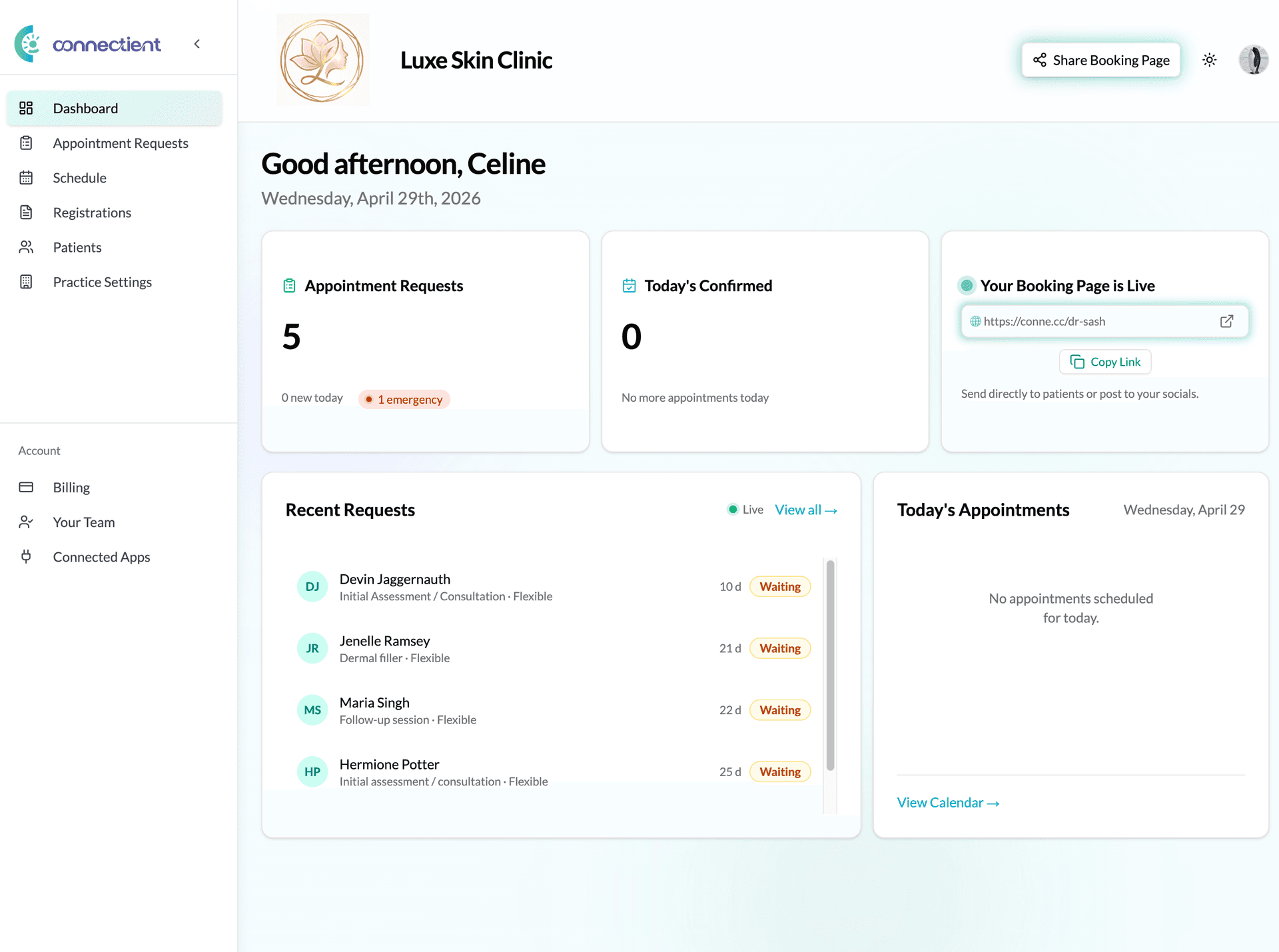 Your Connectient dashboard captures every request from Google Maps, keeping you in total control of your schedule.
The FOMO Factor: What You're Losing Right Now
Every day you leave your Google Business Profile unoptimized, you are handing patients to the clinic down the street.
It doesn't matter if you are a better doctor. It doesn't matter if your office is nicer. If your competitor is easier to book, they will win. Patients value their time as much as their health.
An optimized profile with a physiotherapy booking system or medical office management software link tells the patient: "We are modern. We are professional. We are ready for you."
Summary Checklist
Don't let another day of "hidden" status pass. Follow these steps now:
- Claim your profile: If you haven't, do it today.
- Verify your NAP: Exact match across all platforms.
- Choose specific categories: Move from "General" to "Specialist."
- Add 5 new photos: Bright, clean, and professional.
- Insert your Connectient link: Put your booking page in the "Appointment Link" field.
Your Practice, Your Terms
Optimizing your Google Business Profile isn't about giving up control to an algorithm. It's about putting the power of discovery in your hands.
Stop waiting for the phone to ring. Start capturing patients where they are already looking. Turn your "Closed" sign into an open door with a 24/7 booking experience.
Ready to turn your Google Maps listing into a patient-capturing machine? Get started with Connectient today!